Understanding Network Access Control and Access Points
Network architecture relies heavily on controlling, managing, and securing how devices connect to local networks and the internet. Two foundational concepts in modern network management and security are Network Access Points (Wireless Access Points / Access Gateways) and Network Access Control (NAC) policies.
1. What is a Network Access Point?
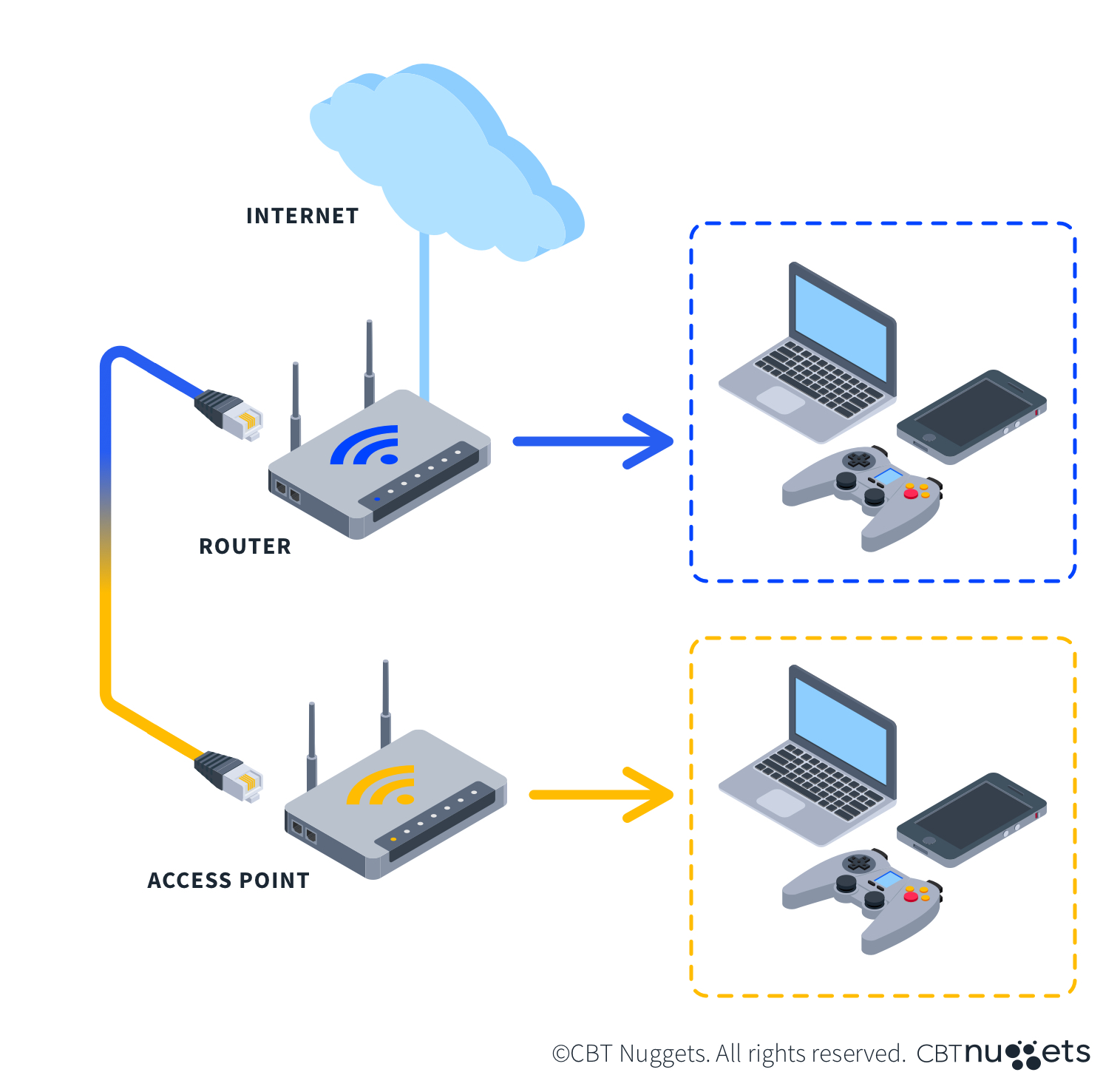
A Network Access Point (commonly referred to as a WAP or AP) is a networking hardware device that allows Wi-Fi-enabled devices to connect to a wired network.
Key Functions of Access Points
- Signal Bridging: Converts wired network traffic (Ethernet) into wireless radio signals (Wi-Fi) and vice versa.
- Coverage Extension: By connecting multiple access points together, organizations can establish a mesh network or continuous wireless roaming across large physical locations.
- SSID Broadcast: Allows networks to broadcast unique network names (SSIDs) tailored for distinct user groups (e.g., Employee-Net, Guest-Wi-Fi).
2. Fundamentals of Network Access Control (NAC)
While an access point physically or wirelessly routes traffic, Network Access Control (NAC) determines who and what is allowed onto that network.
NAC solutions enforce security policies before granting network access to endpoint devices.
       [ Connecting Device ]
                 │
                 ▼
     [ Network Access Point ]
                 │
                 ▼
    [ NAC Server Authentication ] ──( Denied )──► [ Quarantine / Guest VLAN ]
                 │
             ( Granted )
                 │
                 ▼
    [ Full Internal Network Access ]
Core Responsibilities of NAC
- Authentication: Verifying user identity (via credentials, certificates, or 802.1X protocol).
- Authorization: Granting specific network permissions based on user role (e.g., HR vs. IT department).
- Posture Assessment (Compliance): Checking if the connecting device meets security compliance standards (e.g., active antivirus, updated OS, enabled firewall).
- Guest Management: Providing temporary, isolated network access to guests without compromising internal resources.
3. Common Architecture Patterns
AAA Framework
Authentication, Authorization, and Accounting (AAA) forms the backbone of secure access controls.
- Authentication: "Who are you?" (e.g., Username/Password, RADIUS, TACACS+).
- Authorization: "What are you allowed to access?" (e.g., VLAN tags, access control lists (ACLs)).
- Accounting: "What did you do while connected?" (e.g., session length, bandwidth usage, logs).
4. Best Practices for Securing Access Points
To ensure access points do not become vulnerabilities in your network infrastructure, consider the following recommendations:
- Use Strong Encryption Protocols: Deploy WPA3 Enterprise where supported, or WPA2 Enterprise (802.1X) at minimum. Avoid outdated standards like WEP or basic WPA.
- Segment Traffic: Separate employee, guest, and IoT traffic into distinct VLANs.
- Centralize Management: Use centralized network controllers or cloud-managed platforms to maintain configuration consistency across all access points.
- Implement Continuous Monitoring: Regularly inspect connected devices to detect rogue access points or unauthorized MAC addresses.
Summary
- Access Points provide physical or wireless entry points into a network infrastructure.
- Network Access Control (NAC) ensures that only authenticated, authorized, and compliant devices are granted entry via those access points.
- Combining well-secured access points with modern NAC policies is critical for robust perimeter and zero-trust security strategies.